
PDF Changes
It has been communicated that from 5th August 2026, following feedback received from Ophthalmology services and a request from the National Clinical Lead for Ophthalmology, OPERAi is being updated to introduce a revised PDF referral template for referrals received in Secondary Care and Third Sector settings.
The change is limited to the layout and presentation of information within the PDF documents generated by OPERAi for referrals into Ophthalmology and Third Sector services.
From the implementation date:
- PDF referral documents generated by OPERAi for Ophthalmology and Third Sector endpoints will be presented using a revised, more condensed layout.
- There is no change to the information captured within OPERAi.
- There is no change to referral pathways, referral processes or business rules.
- There is no change to existing governance arrangements or operational procedures.
- The revised PDF template will only apply to referrals sent to Ophthalmology and Third Sector endpoints. Referrals viewed directly within OPERAi, and PDF documents generated for Primary Care to Primary Care referrals, will continue to use the existing document format.
What do Optometrists need to do?
No action is required prior to implementation.
There is no change to how referrals are created or submitted within OPERAi.
Primary Care to Primary Care referrals will continue to be presented using the existing referral template.
What do Ophthalmology and Third Sector teams need to do?
No immediate action is required.
Health Boards and Third Sector organisations should ensure relevant teams are aware that referral documentation received from OPERAi will appear in a revised, more condensed format following implementation.
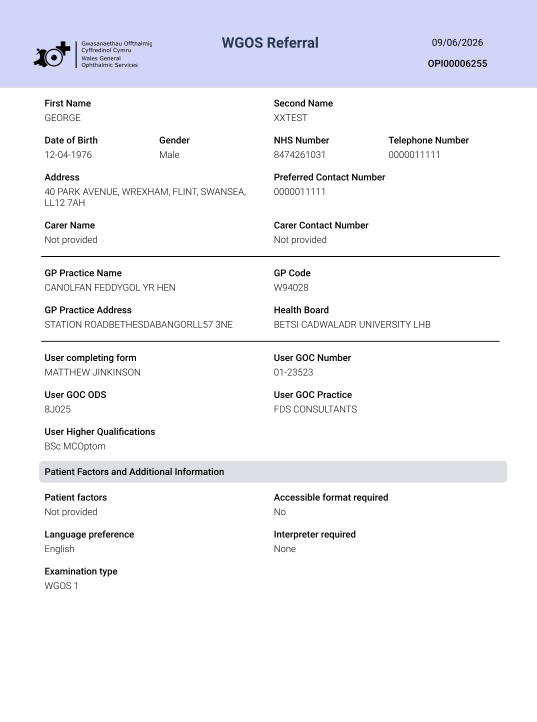
Old layout
Note: This layout will remain as the in-application view across all referrals, as per image below:
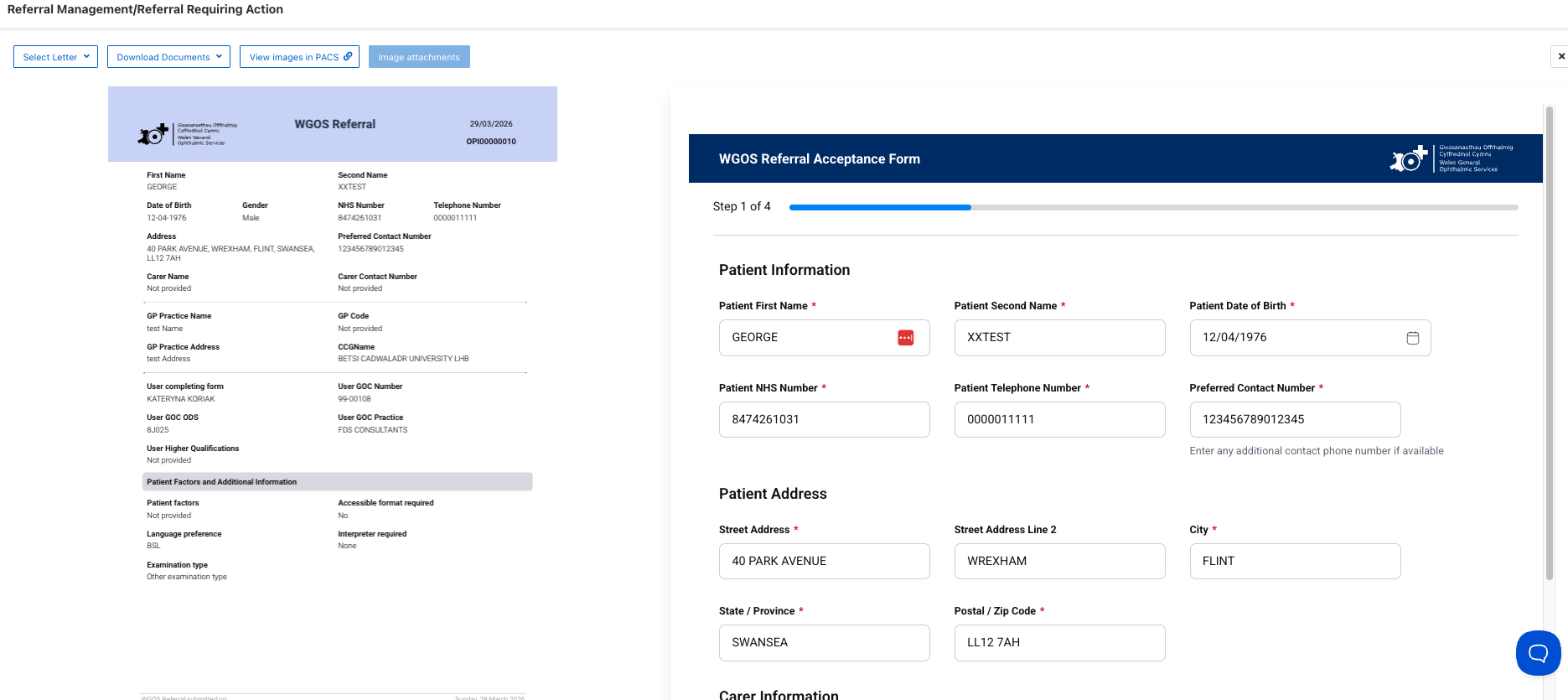
Old PDF format:
New layout
The below is the new printable and downloaded PDF layout:
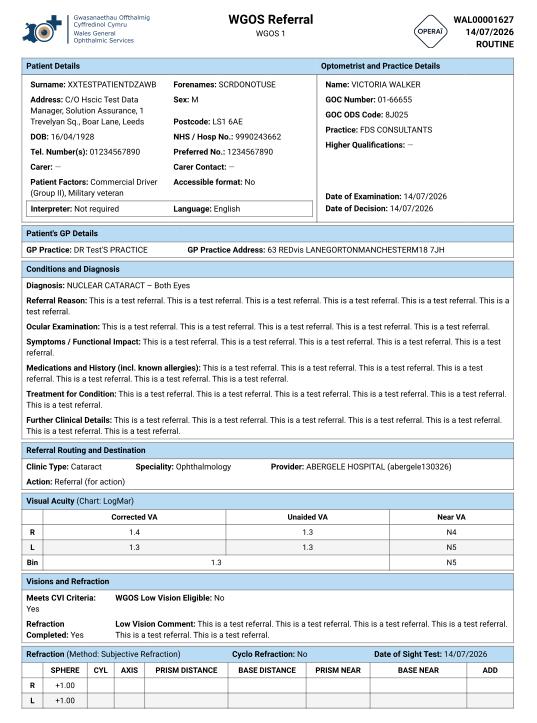
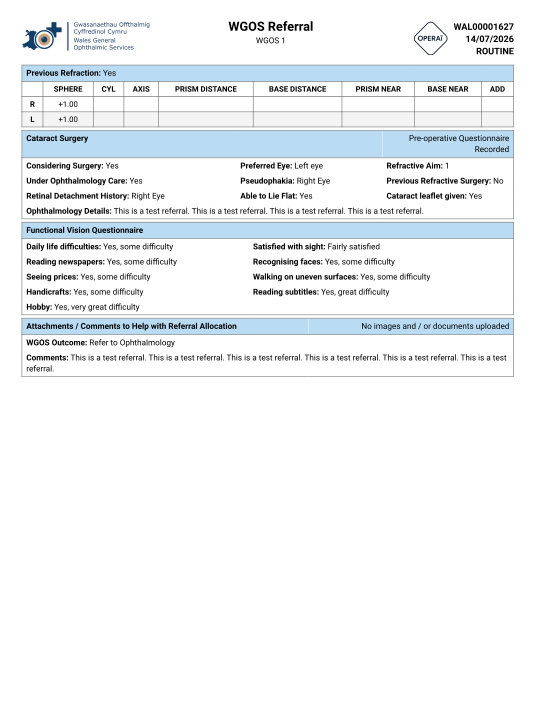
If you have any queries with regards to the new PDF layout, please contact our support team on operaiwales@referral.solutions or use the blue button within the application.