
Searching for a completed referral
To find a referral that you have completed please navigate to the Manage Referral page via General dropdown menu.
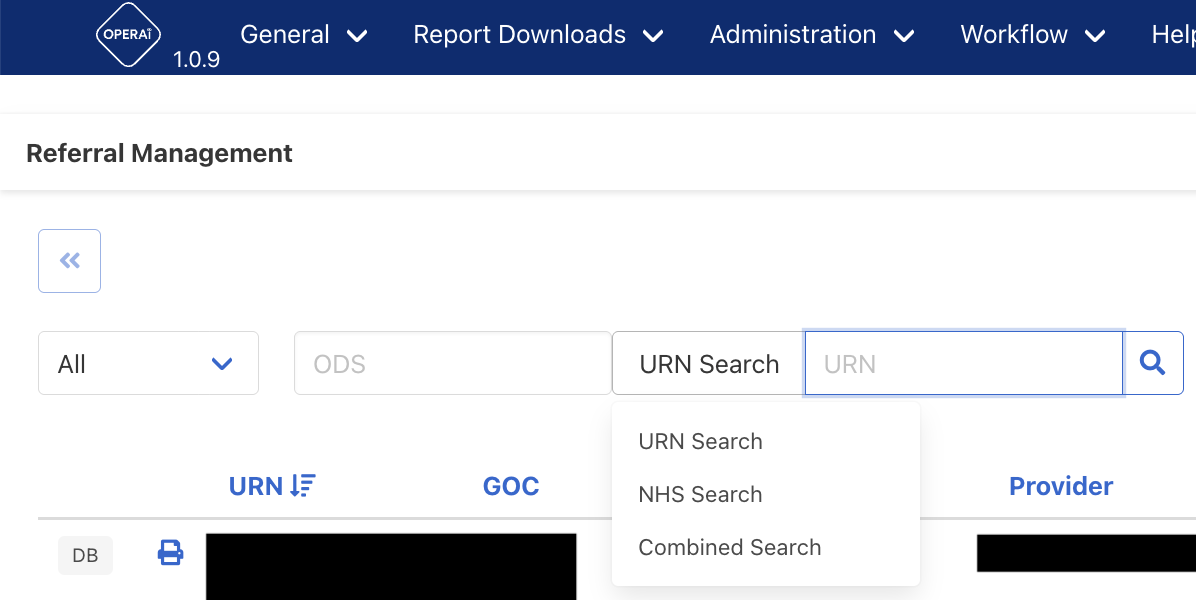
On this page you will see a section titled URN search and a text box adjacent for you to type on the URN, the URN is the unique reference number for the referral and starts with the prefix OPI.
If you are unsure of the URN for the referral you are looking for you can search using alternative search values, if you click on or hover your mouse over URN Search, you will see options for NHS Search, for searching using patients NHS number, and Combined Search, if you do not know the patients NHS number or UR please select Combined Search:
The combined search allows for search options of first name, surname, GOC (to find referrals sent by a particular GOC) and Status - to find a referral that has particular status, you can use one of more of the fields within the search:
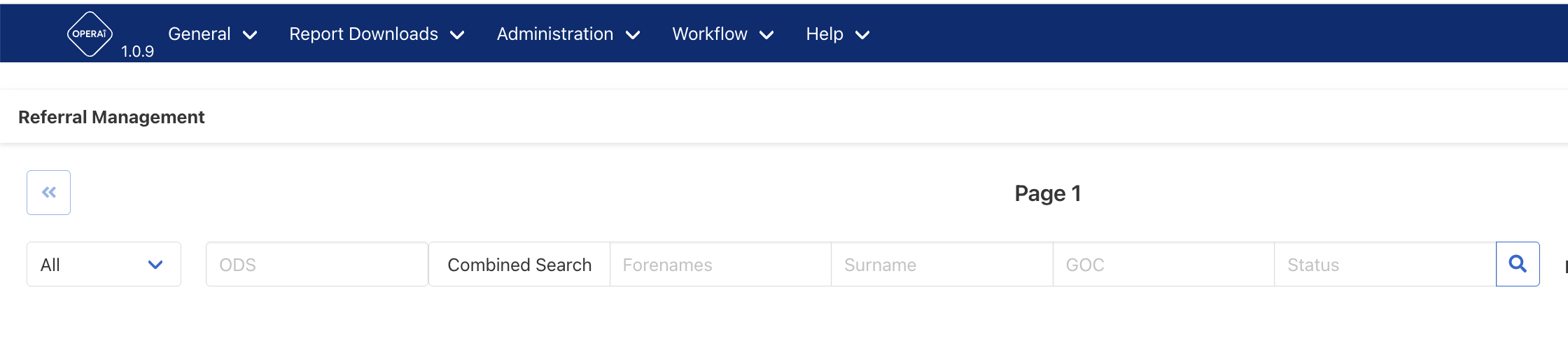
After entering a value in the search box of any of the search options please press the Magnifying glass icon to initiate the search.