
Internal referrals
This page describes how you can manage internal referrals within OPERAi as a provider.
Receiving an internal referral
We will send an email to the main clinical email address that you have provided during your onboarding process, this can be viewed on the practice profile. If you need to change email preferences please see Practice Profile . You should ensure that this email address is regularly checked as we will send important details to this email regarding your referrals and other clinical activity within OPERAi.
The email will look like this
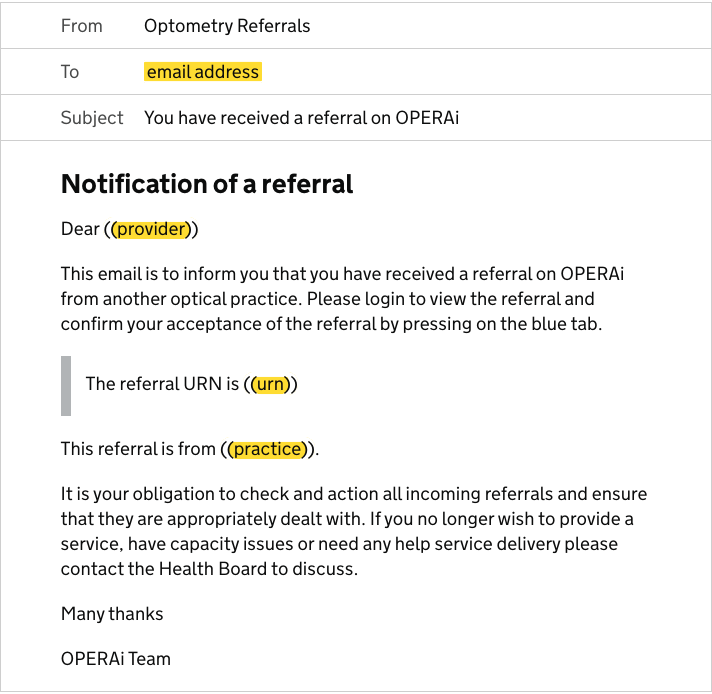
Please note that details of the referral's URN and referring optical site are included.
Finding the referral on OPERA
There are 2 ways to view the referral.
You will be able to see the referral on your clinical dashboard via the 'Internal Referrals' tab.
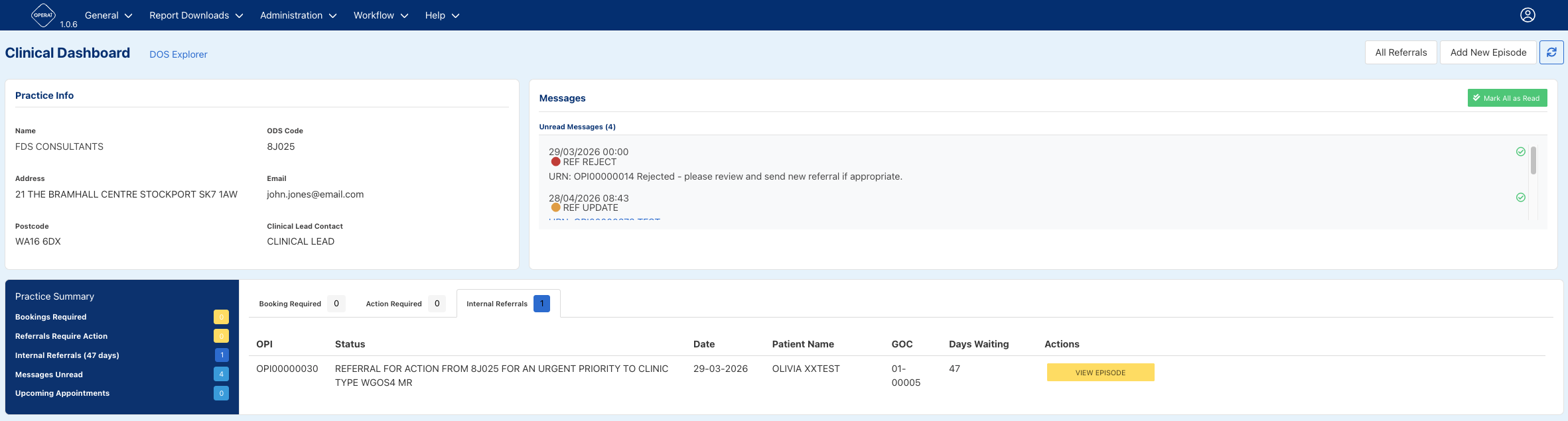
From here you can select 'View Episode' and this will take you to the 'Referral Management' page.

From here you can select the 'Referral Requiring Action Button' button. This will open the 'Referral Acceptance Form'. Here you will be able to view the referral sent, which is shown on the left hand side of the screen and once you have confirmed the patient demographics, the final page of the acceptance form will provide 3 outcomes for you to select, as shown in the image below:
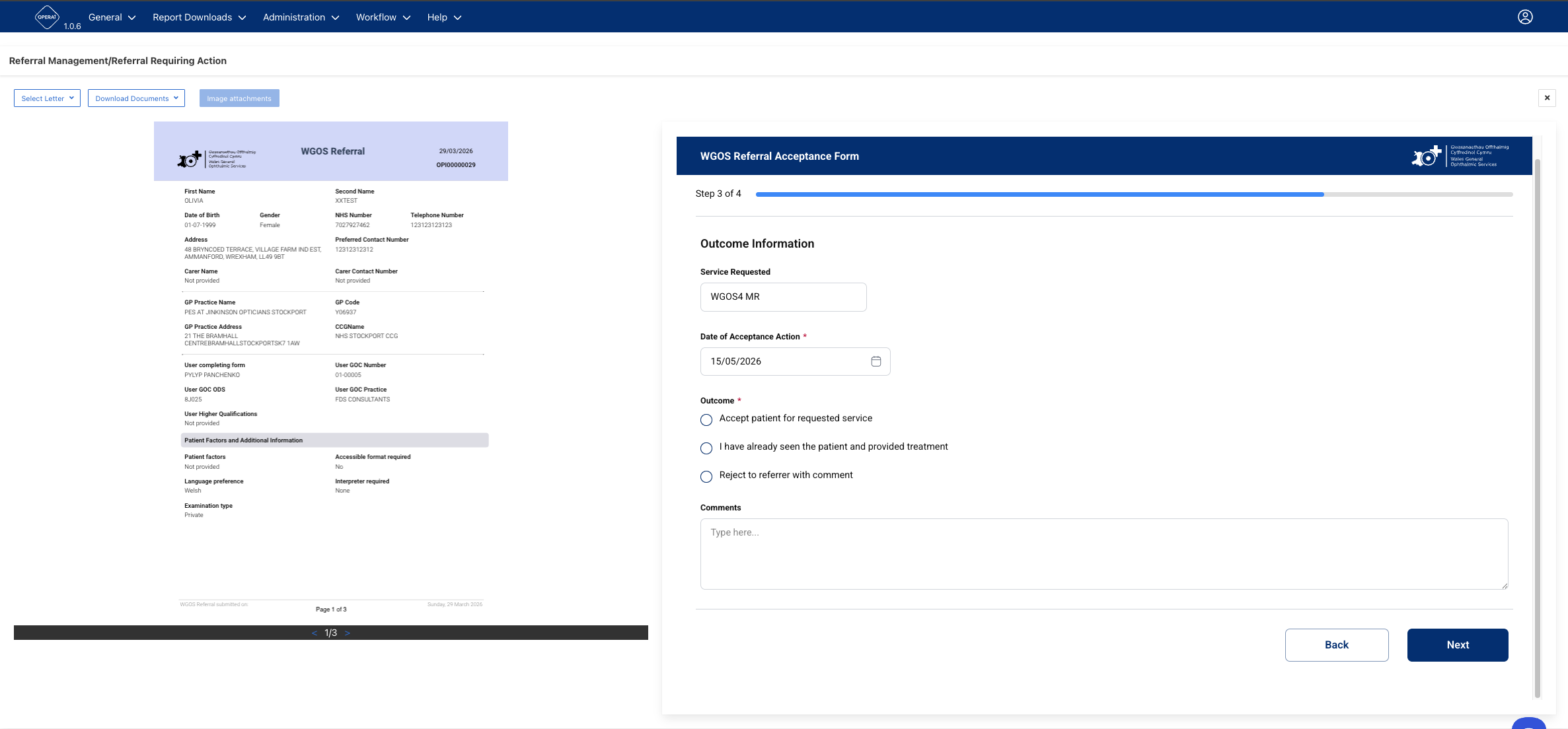
If accepting the referral, the referral tab will change to green and indicate completed.
If there is a reason to return the referral, please select the appropriate option and then complete the comments box to inform the referring practitioner why this has been rejected/ update to referral.
If you return a referral it will disappear from your dashboard and will be displayed on the referrers dashboard with the comments you have made. The referring practice will also receive an email indicating that there has been an update.