
Creating an Admin account
You may wish to create additional logins for your front of house or administrative staff.
These roles are known in the system as admins. The role allows:
a) You to login and select a practice to work at if you work at more than one
b) Search for and add new patients
Admin roles cannot view any referrals, clinical details or change any aspects of the care episodes.
Creating a new admin role
This must be done by a GOC clinician who is logged in at the practices the administrator will work at. I.e. you need to ensure the ODS code shown in the top right is the one you wish to allocate the role to.
You should select the administrator menu.
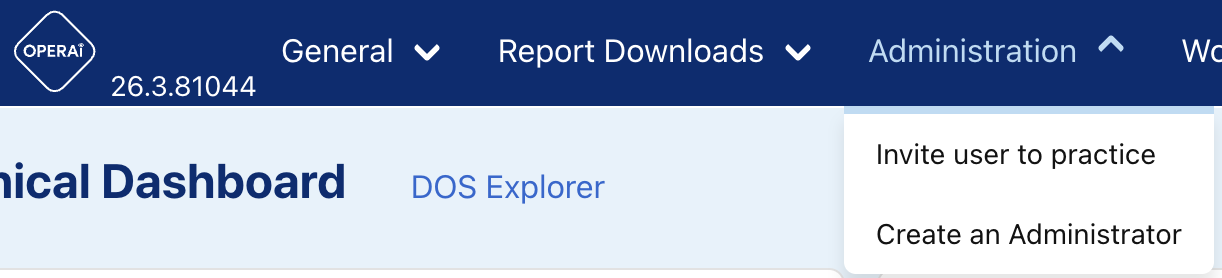
Select the 'Create an Administrator' option and the complete the form that is presented:
NOTE: Only nhs.wales email addresses are accepted.

Once you have checked your details, simply press the 'Add approved administrator' and, if the details have been entered correctly, the user will receive an email with the details of the next steps for account creation.
Support
Should you need support please use the help bubble (that can be found here) to raise a query, or email .............